

Option A
Share the whole screen
Everyone sees everything. Notifications, Slack pings, your messy desktop, the tab you forgot to close.
AnyFrame is the macOS app that lets you share only a rectangular region of your screen in Zoom, Teams, Google Meet — any video call — while you keep working through the frame. Not the whole desktop. Not a single window. The third option nobody else offers.
Works wherever you already call
The third option
Most sharing is all‑or‑nothing: reveal the whole desktop or trap yourself in one window. AnyFrame lets you pick a rectangle — any size, anywhere — and keep working through it.
Everyone sees everything. Notifications, Slack pings, your messy desktop, the tab you forgot to close.
Safer, but stuck. Can't show two apps side‑by‑side. Can't include the terminal and the browser. Can't share a custom crop.
Any region, any size, any aspect ratio. Keep clicking through it. Switch presets mid‑call. Audience sees your frame — and nothing else.
How it works
No plugins. No browser extensions. No virtual cameras. AnyFrame shows up as a normal window in every “Share Window” picker on macOS.
Drag and resize the viewport over the exact region you want people to see. Save named presets for instant recall.
In Zoom, Teams, Meet, or anywhere — choose “Share Window” and select AnyFrame. That's it.
Hit ⌥⌘P for click‑through mode. The frame disappears for your cursor, so you stay productive while you present.
Your screen vs. what they see
On the left: everything on your Mac — the messy four‑up, the Zoom tile with your coworkers' faces, the stuff you didn't mean to share. On the right: only the frame AnyFrame was capturing. That's all that left your machine.
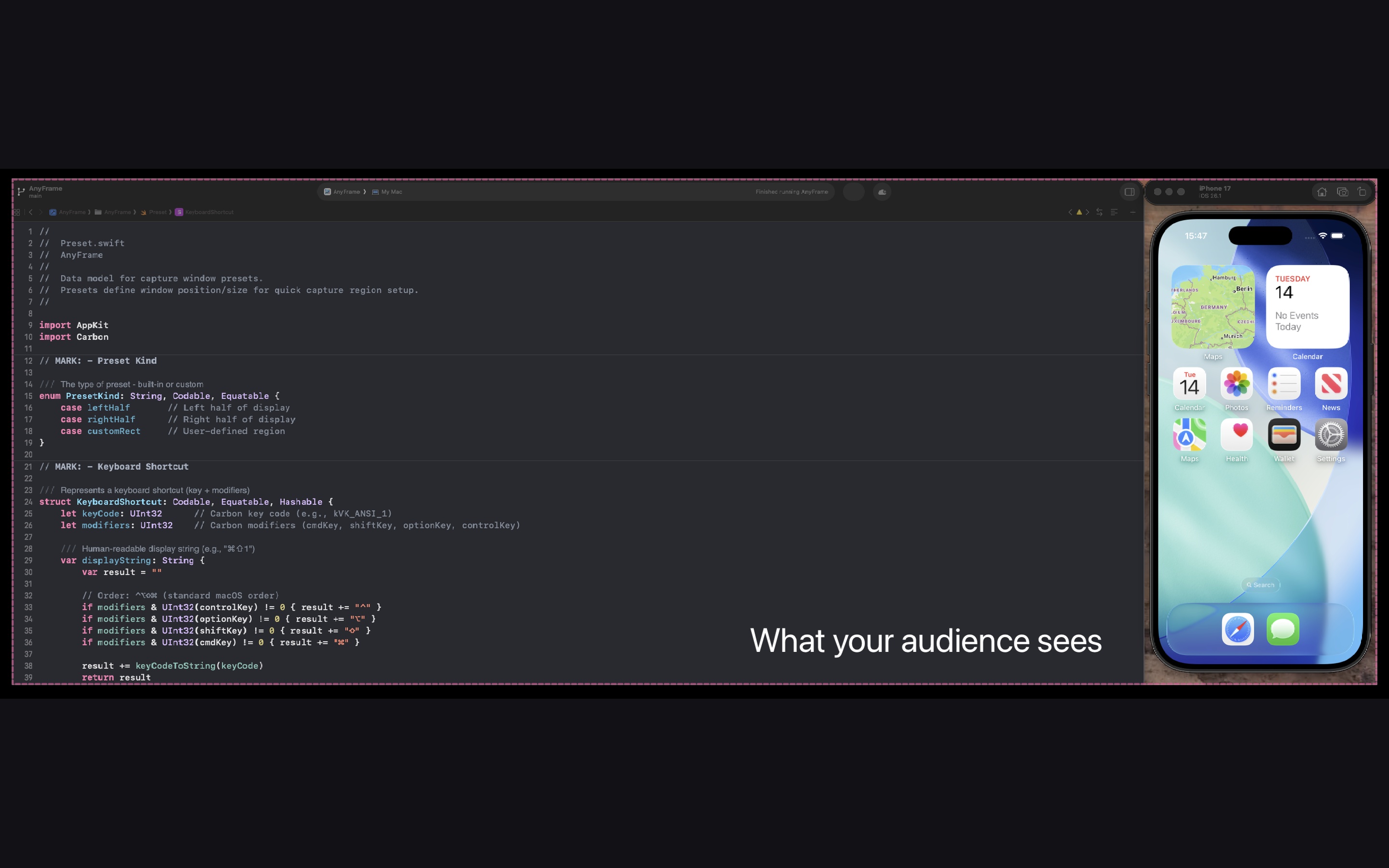
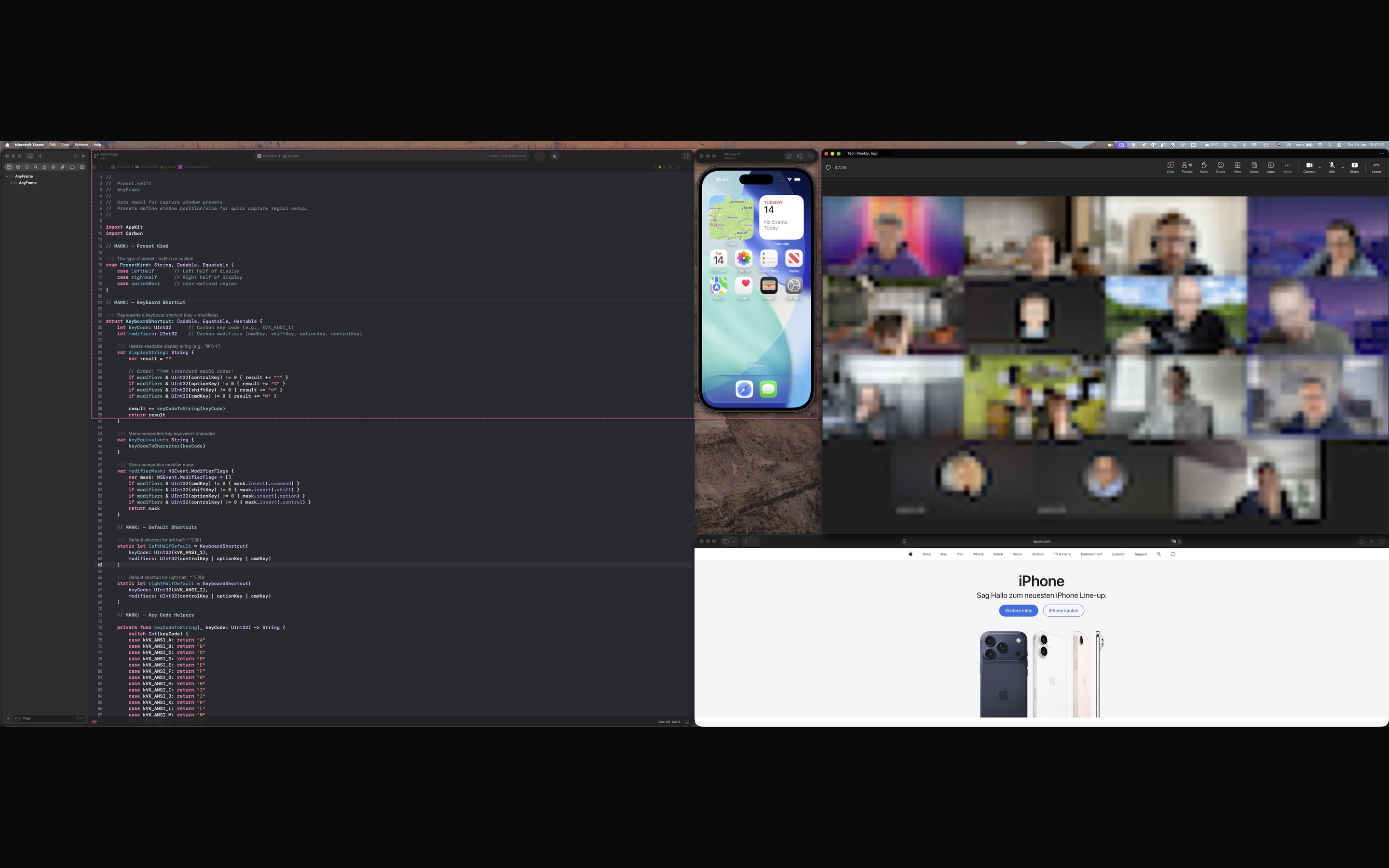 Your screen
What they see
Your screen
What they see
Drag the handle — or use ← → on your keyboard.
See it in action
A longer walk‑through: draw the frame, pick it in the share picker, switch presets, toggle click‑through. No narration, no fluff.
Features
Built natively with ScreenCaptureKit. No virtual camera, no cloud roundtrip, no plugin install. Just a Mac app that behaves like one.
Drag a frame anywhere on any display. Not locked to presets or halves. Resize mid‑call without reconnecting.
Hit ⌥⌘P and the frame becomes invisible to your mouse. Type, click, scroll through the apps underneath.
Save layouts by position and size. Swap between “demo”, “docs”, “code left”, “code right” with one keystroke.
Start, stop, snap left, snap right, apply preset 1‑9 — every action has a keybind. No reaching for the trackpad.
AnyFrame shows up as a real window in every Share picker. Full resolution. No virtual‑camera pipe, no quality loss.
Nothing is recorded, stored, or sent. No analytics. No trackers. No SDKs. Just macOS ScreenCaptureKit and your Mac.
Pricing
14‑day free trial with every feature unlocked. No signup, no credit card. After the trial, choose what fits you:
Auto‑renewing subscription via the Mac App Store. Cancel any time.
Save roughly 50 % vs. monthly. Auto‑renews yearly — cancel any time.
€79 after launch. Pay once. Own it. Family Sharing supports up to six people.
Prices shown in EUR — local pricing applies in your region.
FAQ
Newsletter
Occasional emails about new features, version updates, and any limited-time offers. No spam, unsubscribe anytime.
Free for 14 days. Works with every video app you already use. Thirty seconds to install, thirty years of clean screen‑shares.